Cards - Mobile Wallet
- 4.6
- Rating
- 10.00M
- Installs
- Free
- Price
 Analysis by App-foxy
I have always liked the idea of replacing a bulky wallet with one dependable place for the things I actually carry. Cards - Mobile Wallet takes that idea and applies it to digital cards, tickets, passes, and keys, with a focus on keeping everyday items available on a phone. After spending time with it, I see it as a practical productivity app rather than a flashy financial tool. Its usefulness depends less on novelty and more on whether it fits the way you already receive, store, and present digital credentials.
The app is developed by Cards and is available free of charge. That makes it easy to try without committing money first, although in-app purchases range from $0.99 to $99.99 per item. I would not treat the free label as a promise that every possible function is included at no cost; instead, I would install it, test the parts I need, and check any purchase screen carefully before paying. That distinction matters here because the main value is convenience, while the usefulness of optional paid elements will depend on each person’s workflow.
How Cards - Mobile Wallet fits into daily life
The basic appeal is straightforward: instead of searching through messages, email, screenshots, or a physical wallet, I can aim to keep relevant digital items together. A boarding pass, loyalty card, event ticket, access pass, or key is easier to use when I know where to look. The store summary presents the app as a mobile wallet for cards, tickets, passes, and keys, and that broad scope is what separates it from a simple payment-only wallet.
You May Also Like

 Blood Strike: 2.5 Anniversary
Blood Strike’s Loadouts Turn Every Drop Into a Tactical Gamble
A close look at Blood Strike’s custom loadouts: how fast access to signature weapons reshapes its battle royale rhythm, rewards preparation, and narrows the gap between fights.

 Pandora - Music & Podcasts
Pandora’s Music Is Easy to Start, but Harder to Recover
Pandora’s strength is its low-effort path from a seed to a station. Its weak spot is how much confidence it asks you to place in connection, setup, and quiet recovery.

 8 Ball Pool
 Is Built on Rivalries, Rematches, and Routine
A close look at the rivalries, rematches, shared routines, and unanswered safety questions that turn a quick pool match into a persistent mobile community.

 Samsung Music
’s Quiet Strength Is Playing What You Already Own
Its reach comes less from spectacle than from dependable access to a personal library. That simplicity is both the app’s strongest retention engine and its ceiling.

 AccuWeather: Weather Radar
AccuWeather Review: A Quick, Clear Forecast for Everyday Decisions
For everyday plans, the best forecast is the one you can understand quickly. AccuWeather makes rain timing, radar, and local conditions easy to act on, with a few trade-offs.

 Hill Climb Racing
Why Hill Climb Racing Still Turns Crashes Into One More Run
A tiny car, a bumpy hill and one more upgrade: Hill Climb Racing keeps resurfacing because its simple chaos makes every near-miss feel personal.
More From Our News Desk



I found the concept most useful when an item has a clear moment of use. A ticket needed at an entrance, a pass shown at a reception desk, or a membership card used during a purchase all benefit from quick access. The app can also reduce the small mental burden of remembering which app, inbox, or webpage contains something. That sounds minor, but it becomes valuable when I am standing in a queue and do not want to scroll through unrelated notifications.
It is important to understand what kind of wallet this is before installing it. I would not choose it solely because I want a complete replacement for a bank’s payment application. A bank app, a platform wallet, or a dedicated transit application may remain better for services that depend on their own accounts, payment rails, or live updates. Cards - Mobile Wallet makes more sense as a central home for the digital items I need to present, rather than automatically replacing every other wallet on my phone.
What the free access means in practice
The app is free to install, so the entry cost is low. For me, that changes the decision from “Is this worth buying?” to “Does this remove enough daily friction to deserve a place on my phone?” I can answer that question by adding the cards and passes I use most often, then seeing whether retrieval feels faster and more reliable than my current method.
The presence of in-app purchases means I would avoid assuming that every advanced option is part of the free experience. The listed purchase range starts at $0.99 and reaches $99.99 per item, which is a wide spread. I would therefore judge the free version first and only consider a paid item if it solves a specific problem I repeatedly encounter. Paying simply to collect more digital items would not be enough reason for me; paying for a workflow that saves time every week could be reasonable.
This pricing structure also makes the app a better fit for cautious users than for people who want a completely predictable, one-time purchase. If I need to know the total cost before I begin, I would inspect each optional purchase in the store interface and compare it with alternatives already available on my device. The free starting point is attractive, but the value of any paid addition should be considered separately from the value of the app itself.
Where it saves time and where it does not
The strongest benefit is organization at the moment of need. Consider an ordinary travel day: I receive a ticket in an email, open it once, and place it in the wallet rather than leaving it buried in my inbox. Later, when I reach the gate, I look in one familiar location instead of searching by sender or subject. The same pattern works for an event pass or a membership card. The improvement is not that the information becomes more powerful; it is that the path to it becomes shorter.
A useful habit is to add items before leaving home, while I still have a stable connection and time to check that the correct card or pass is visible. I would also remove expired items instead of letting the wallet become a second version of an overcrowded inbox. That small cleanup makes the app more useful because a wallet should reduce choices, not create another long list to scan.
Another non-obvious advantage is separation of contexts. I can keep a work access pass, a personal membership card, and a travel ticket in the same general place without mixing them into my photo gallery. Screenshots are quick, but they are poor long-term storage: they can be hard to identify later, may sit beside unrelated images, and do not feel like a deliberate collection. A wallet-style app gives the items a clearer purpose.
There is a trade-off, however. Centralizing important items also creates a single place I need to keep organized and available. If I add everything without a naming or cleanup habit, the convenience fades. I would use it for items that I expect to present, not as a dumping ground for every barcode, confirmation image, or temporary note.
Comparing it with the usual alternatives
Compared with a physical wallet, the app can hold digital items without adding cards and paper to my pocket. It is especially appealing when a ticket or pass was issued digitally in the first place. The physical wallet still has an advantage when a venue, business, or service does not accept a phone, when a battery is unavailable, or when I prefer a tangible backup. I would not discard essential physical identification merely because a digital wallet is more convenient on ordinary days.
Compared with screenshots, Cards - Mobile Wallet offers a more intentional place for recurring or important items. A screenshot may be faster for a one-time use, but it becomes awkward when I have dozens of images or need to distinguish an old pass from a current one. The screenshot approach remains perfectly adequate for someone who rarely carries digital cards and does not mind manual searching.
Compared with a phone’s built-in wallet, the choice becomes more personal. A built-in option may be the better route for payment cards or services tightly integrated with the operating system. Cards - Mobile Wallet is more interesting when I want a broader container for cards, tickets, passes, and keys, especially if my existing tools scatter those items across several places. I would use the app that supports the items I actually carry, not the one with the most impressive label.
Compared with individual retailer, airline, venue, or transit apps, this app can reduce app switching. The dedicated app may still provide richer account details, updates, reservations, or customer support. My preferred arrangement would be to keep the live service in its official app when necessary, while using the wallet for the pass or card I need to display quickly. That division avoids expecting one tool to do two different jobs.
Small workflow choices that make a difference
My first tip is to start with a small, high-frequency collection. I would add the membership card I use every week, the current ticket, and any pass I know I will need soon. If those three items are easy to reach, I get a fair test of the app without spending time migrating my entire digital life.
My second tip is to treat temporary items differently from permanent ones. A concert ticket or short-term access pass should be reviewed after the event, while a loyalty card may stay useful for months. This simple distinction prevents expired material from competing with active items and makes visual scanning faster.
My third tip is to keep a backup route for anything important. I would not rely on a single phone-based copy for a boarding pass, access credential, or time-sensitive ticket until I know how the item behaves in my own situation. Keeping the original email, official service, or physical alternative available is sensible. The wallet is a convenience layer, not a reason to abandon every other source.
My fourth tip is to evaluate paid options by repeated use rather than curiosity. If an optional purchase helps me manage a recurring collection or removes a genuine obstacle, it may have practical value. If I only want it because the feature looks interesting, I would wait. The broad purchase range makes this especially important: a small purchase and a high-priced item should not be judged by the same standard.
Who will appreciate it most
I think the app is best for people who regularly carry several digital cards or passes and dislike hunting for them. Frequent event attendees, travelers, members of loyalty programs, and anyone who receives access credentials digitally may find the central location worthwhile. It is also a sensible experiment for someone whose phone is already the main place for tickets and confirmations.
It may be useful for families or shared planning too, although I would be careful about treating it as a universal household archive. Each person should know which device holds an item and how to retrieve it. For a parent managing a child’s ticket or a shared event pass, the convenience depends on who will actually present the code or credential at the entrance.
I would skip it if I only use one or two cards, already have a built-in wallet that handles everything I need, or prefer physical cards for privacy and reliability reasons. I would also hesitate if my main goal is detailed account management, payment control, or live service information. Those tasks are often better handled by the issuing company’s own application.
People who dislike organizing apps may not enjoy the maintenance either. The wallet concept sounds effortless, but it still benefits from removing expired passes and recognizing what each item is. If I am unwilling to spend a few minutes arranging the collection, a simple screenshot folder may feel less demanding, even though it is less polished as a long-term system.
Compatibility, maturity, and everyday confidence
The app supports Android version 6.0 and newer, which gives it a broad reach across compatible Android phones. Its current version is 4.1.11, and the app has been available since May 21, 2013. That long presence and continued versioning give me more confidence than I would have in an abandoned utility, although longevity alone does not guarantee that every card issuer or venue will behave identically.
Its Everyone content rating also makes it approachable for a general audience. I would still judge suitability by the sensitivity of the items I plan to store. A pass or ticket may be harmless, while an access credential or key deserves more careful thought. The app’s category is productivity, and that feels accurate: its purpose is to make information easier to retrieve, not to entertain or replace a complete financial institution.
The app has an average rating of 4.6 from around 318 thousand ratings, with more than 5 thousand written reviews, and it has passed 10 million installs. Those figures suggest that the wallet idea resonates with a substantial Android audience. I treat that as useful context rather than a guarantee. My own decision would still depend on whether the specific cards and passes I use fit naturally into the app.
My verdict on the value
After using it as a practical organizer, I see Cards - Mobile Wallet as a worthwhile free download for the right kind of phone user. Its value comes from reducing the distance between “I need this pass” and “Here it is on my screen.” That is a modest promise, but it is concrete, repeatable, and easy to test without an upfront payment.
The best reason to install it is not to collect everything digitally; it is to make a few important items reliably easier to find. Start with the cards and passes that cause the most searching, keep temporary items tidy, and maintain a backup for anything essential. That approach lets the free access prove itself before any purchase enters the decision.
I recommend giving it a try if your current system is a mixture of screenshots, email searches, and several separate service apps. I would skip it if your built-in wallet already covers your real needs or if you want a full banking and payment replacement. For me, it occupies a useful middle ground: broader than a single-purpose card holder, but not a substitute for every official app behind the items it stores.
In short, the app earns its place through organization rather than spectacle. The free starting point makes experimentation sensible, while the optional purchases mean I would evaluate extra value carefully and individually. If a cleaner digital pocket for tickets, passes, cards, and keys would make your routine calmer, this is a practical option to test. If your wallet is already simple and well managed, there may be little to gain.
FAQs for Cards - Mobile Wallet
01What is Cards - Mobile Wallet and how does it work?
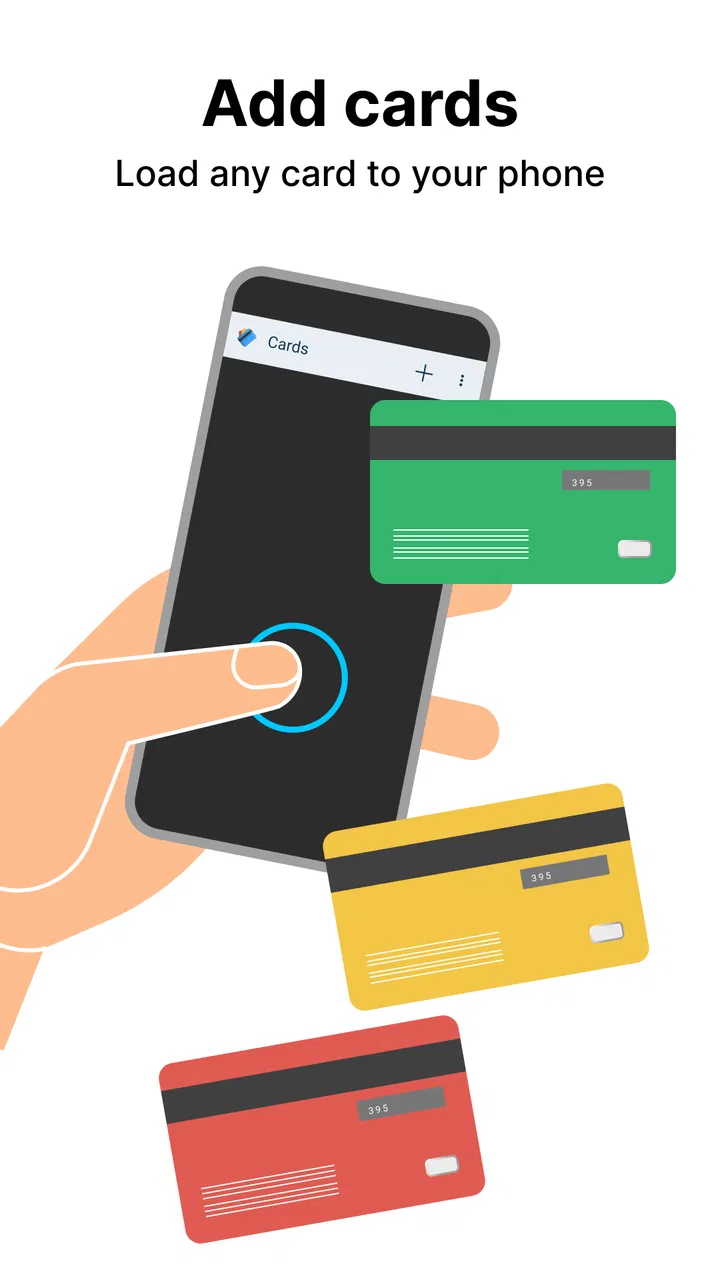
Cards - Mobile Wallet is a digital application that allows users to store and manage their various cards such as loyalty, credit, and membership cards in one place. The app works by scanning the physical cards' barcodes or QR codes and storing them digitally, providing easy access and organization.
02Is Cards - Mobile Wallet secure for storing my sensitive card information?
Yes, Cards - Mobile Wallet is designed with robust security measures to protect your sensitive information. It uses encryption to safeguard your data and offers additional security features such as PIN protection and biometric authentication to ensure only you have access to your stored cards.
03Can I use Cards - Mobile Wallet offline, or do I need an internet connection?
You can access your stored cards on Cards - Mobile Wallet without an internet connection, making it convenient for use in locations where connectivity may be limited. However, certain features like syncing new cards or updates may require an internet connection.
04Does Cards - Mobile Wallet support all types of cards and how do I add them?
Cards - Mobile Wallet supports a wide variety of cards, including loyalty, gift, and membership cards. To add a card, simply use the app's scanning feature to capture the card's barcode or QR code, or manually enter the card details. The app's interface is user-friendly, making the process smooth and efficient.
05Are there any fees associated with using Cards - Mobile Wallet?
Cards - Mobile Wallet is generally free to download and use for storing and managing your cards. However, it may offer premium features or services through in-app purchases. Be sure to check the app's pricing model for any additional costs associated with its premium offerings.
Pros
- Easy-to-use interface for quick access.
- Supports multiple card types and brands.
- Secure encryption for card data protection.
- Offline access for stored cards.
- Customizable notifications for payments.
Cons
- Limited integration with some banks.
- Occasional syncing delays.
- No direct customer support chat.
- In-app ads can be intrusive.
- Requires frequent updates for bug fixes.

Cards - Mobile Wallet
Gallery